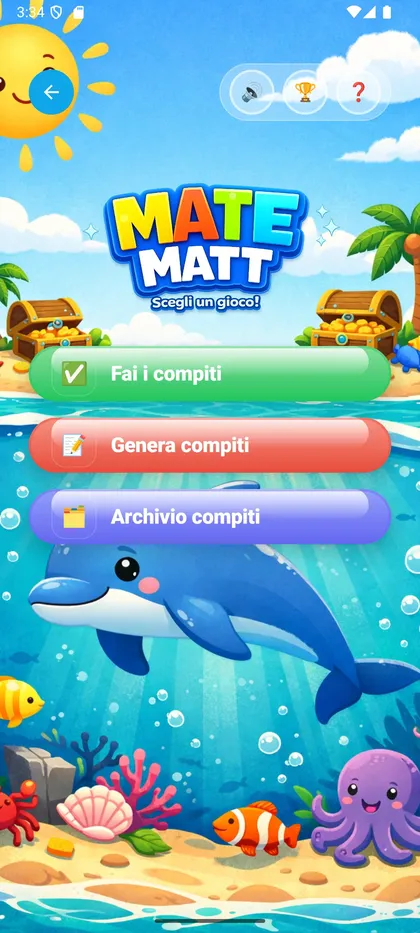
The admin selects the operation, difficulty and number of exercises. The app encrypts the document locally using the AES-256-GCM group key.
Actual app screenshot
☁️
🔥 Firestore
Step 2
Homework published to the group
The encrypted document is written to Firestore in the family group. Only devices with the group key can decrypt it.
🔥 Firestore · groups/{gid}/tasks/{tid}
assignedBy
uid_admin_xxxx
createdAt
2026-03-25T10:42Z
payload
Xt9mK2pLqR8nW4vZjY…
🔒 E2E
🔒 The server cannot read the content — only group devices have the key
📲
🧒 Group members
Step 3
Children see the homework
The children's devices download the document and decrypt it locally. The homework only appears for group members.
🦅
Eagle 68
New homework
🐻
Bear 16
New homework
✏️
🧒 Child
Step 4
Completes the homework, results are uploaded
The child works through the exercises with step-by-step guidance. When finished, the results are encrypted and written to Firestore.
Uploading encrypted results to Firestore…
🔥 Firestore · groups/{gid}/results/{rid}
completedBy
uid_lion42
completedAt
2026-03-25T11:05Z
results
mQ3rK9nXpW2vLt8zHa…
🔒 E2E
🦅
Eagle 68
✓ Completed
🐻
Bear 16
Waiting…
⬇️
👨👩👦 Admin / Parent
Step 5
Downloads and decrypts results
The admin's device downloads the results from Firestore and decrypts them locally. No plaintext data ever passes through the server.
🔒 Decryption on-device only — AES-256-GCM with RSA-2048 key exchange
📊
👨👩👦 Admin / Parent
Step 6
Reports & Analytics
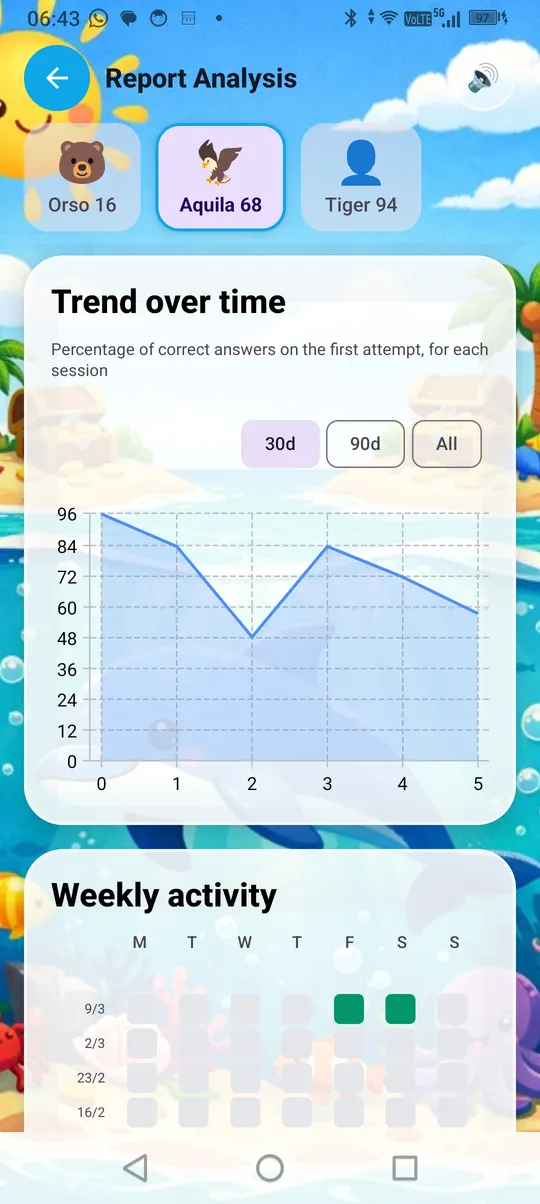
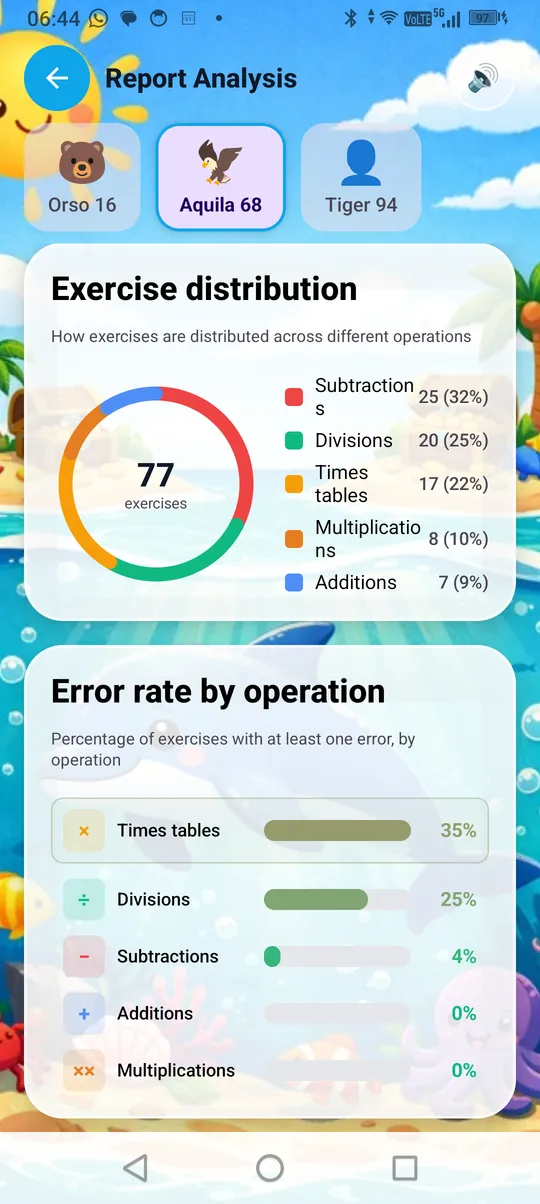
View the report for each exercise (operation, answer, attempts, result). Access the Analytics panel with trends, common mistakes and times tables. Export as PDF or JSON.

 Actual app screenshot
 Trend
Trend
 Distribution