What is column multiplication?
Column multiplication is the most orderly way to multiply numbers with two or more digits. Instead of keeping everything in their head, the child works one digit at a time: first they multiply by the ones of the multiplier, then by the tens, and finally they add the partial products.
There are two tricky parts: within each row there's the carry (just like in addition), and between rows there's the shift in position (because multiplying by the tens means ×10).
The mechanism: times tables + carries + shift
A column multiplication is made of small pieces the child already knows. Every cell is a times-table fact; between one cell and the next there's just a carry; between one row and the next there's just a position shift.
Stack to the right
Write the multiplicand on top and the multiplier underneath, right-aligned. Ones below ones.
Start with the ones
Multiply every digit of the multiplicand first by the ones digit of the multiplier, working right to left.
Shift to the left
When you move to the tens digit, write the product shifted one position to the left (the implicit ×10).
Worked example: 948 × 25
- Multiply by the ones (5): 8×5=40 (write 0, carry 4), 4×5+4=24 (write 4, carry 2), 9×5+2=47. First partial product: 4740.
- Multiply by the tens (2): 8×2=16 (write 6, carry 1), 4×2+1=9, 9×2=18. Second partial product: 18960 (written shifted one position to the left).
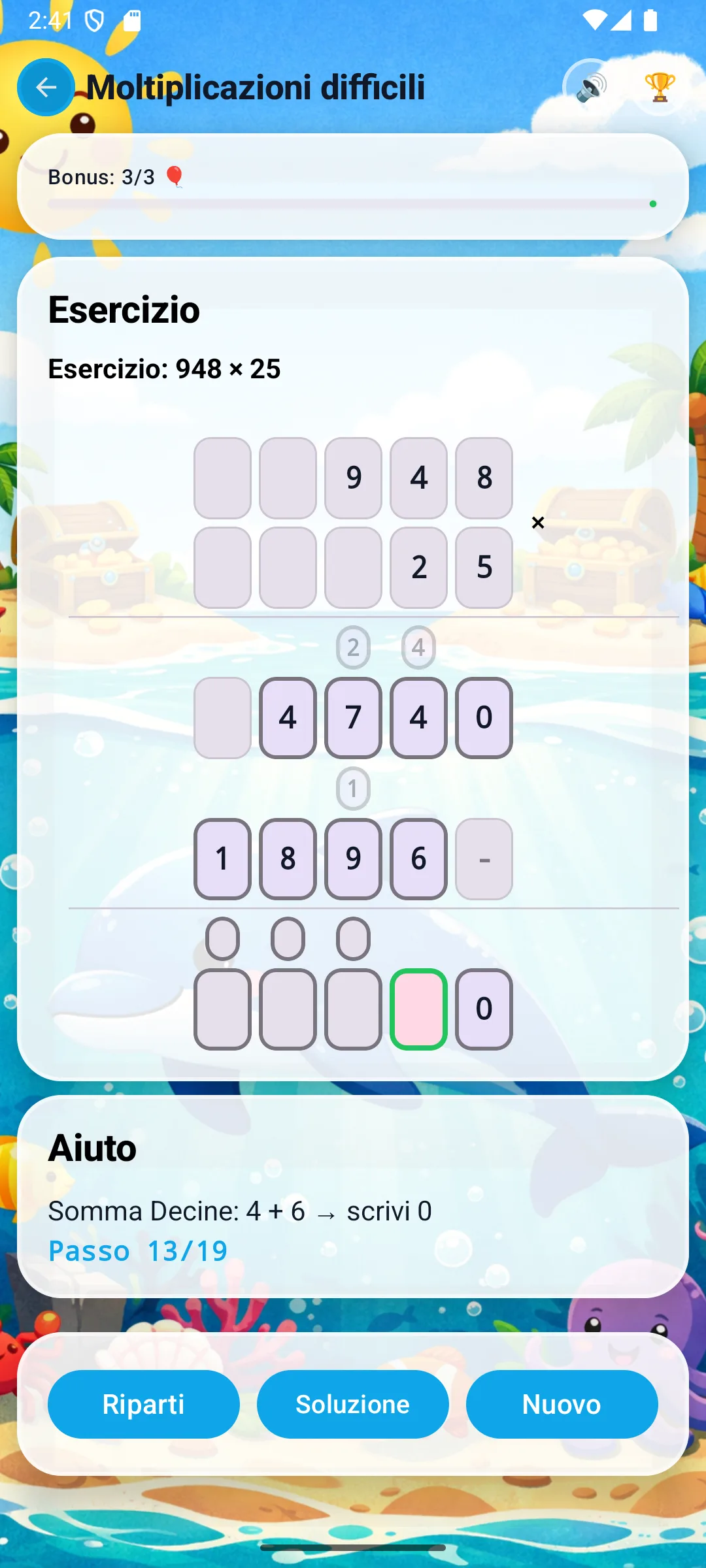
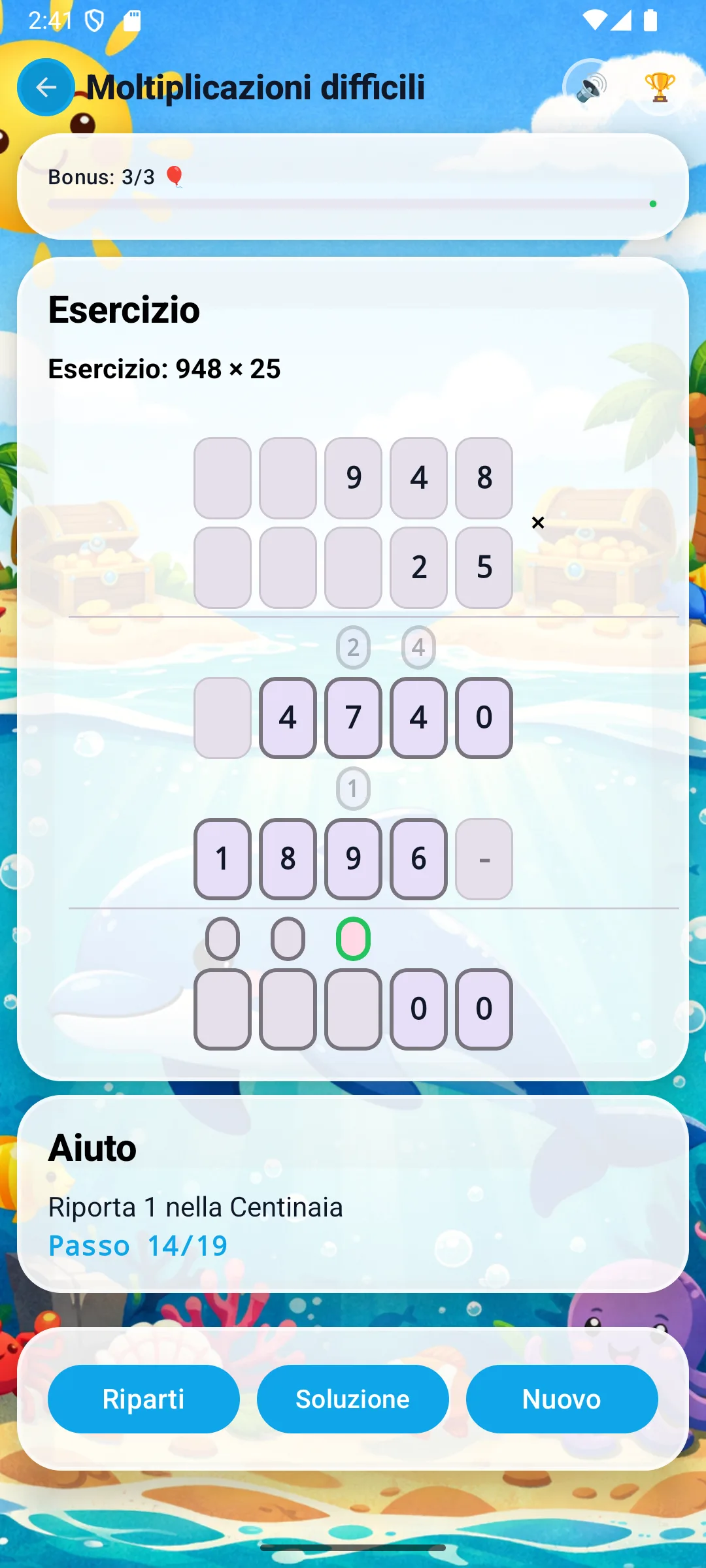
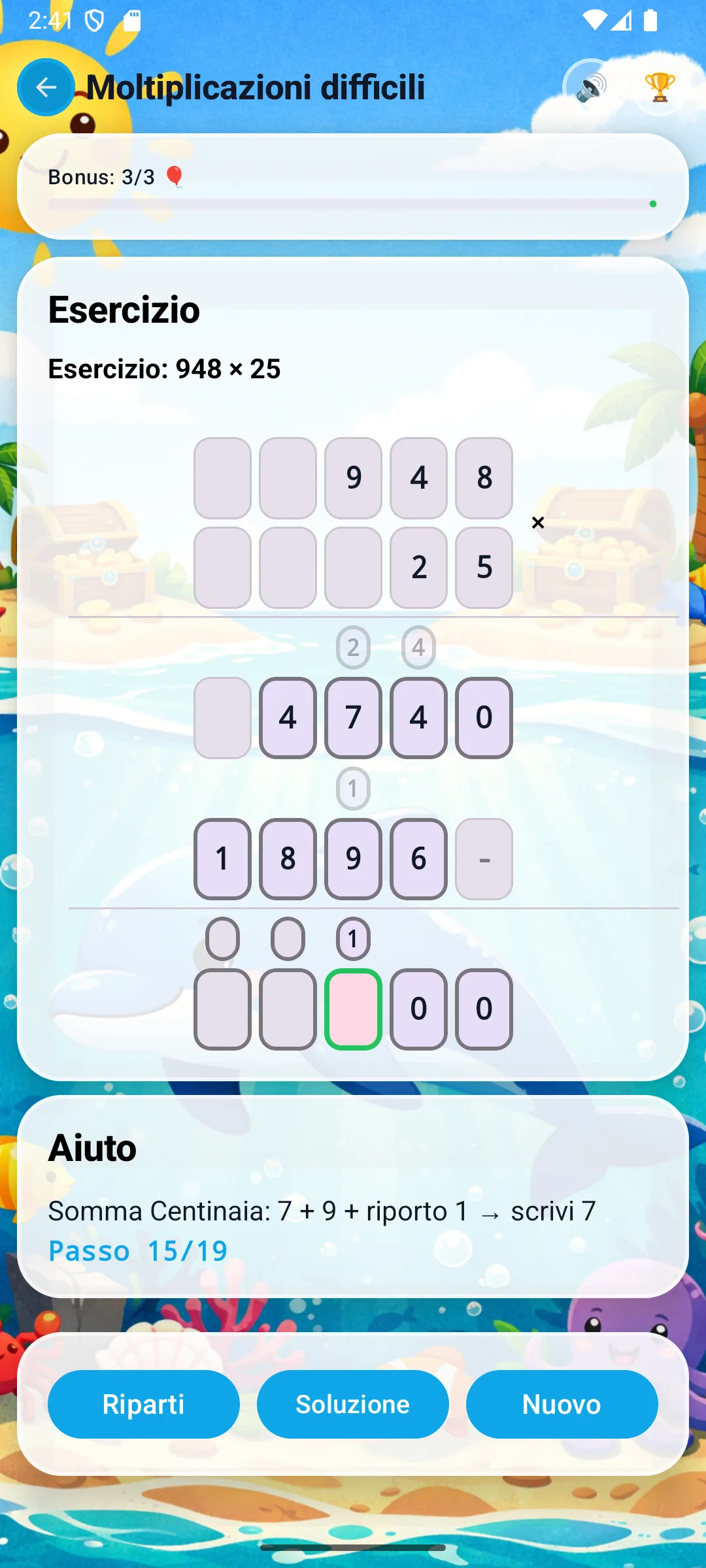
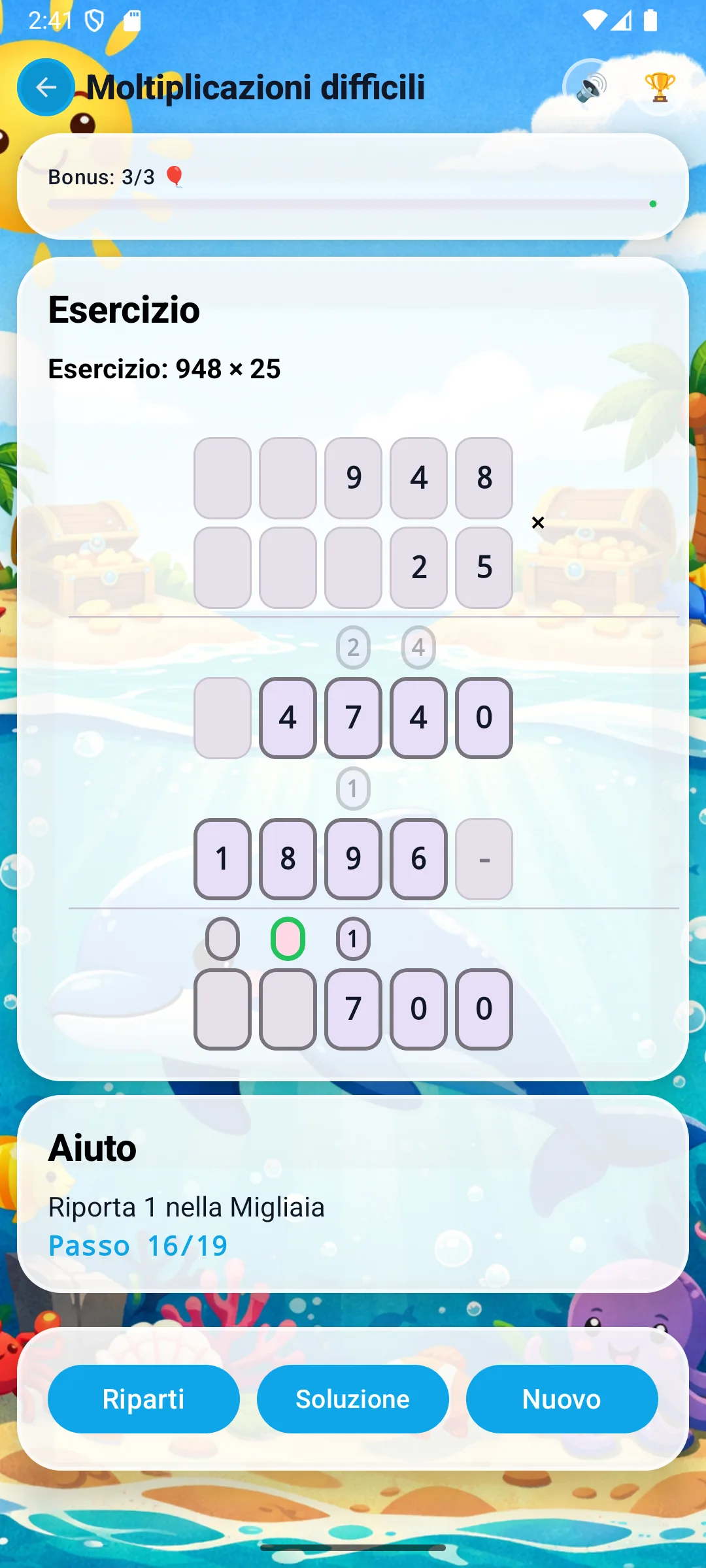
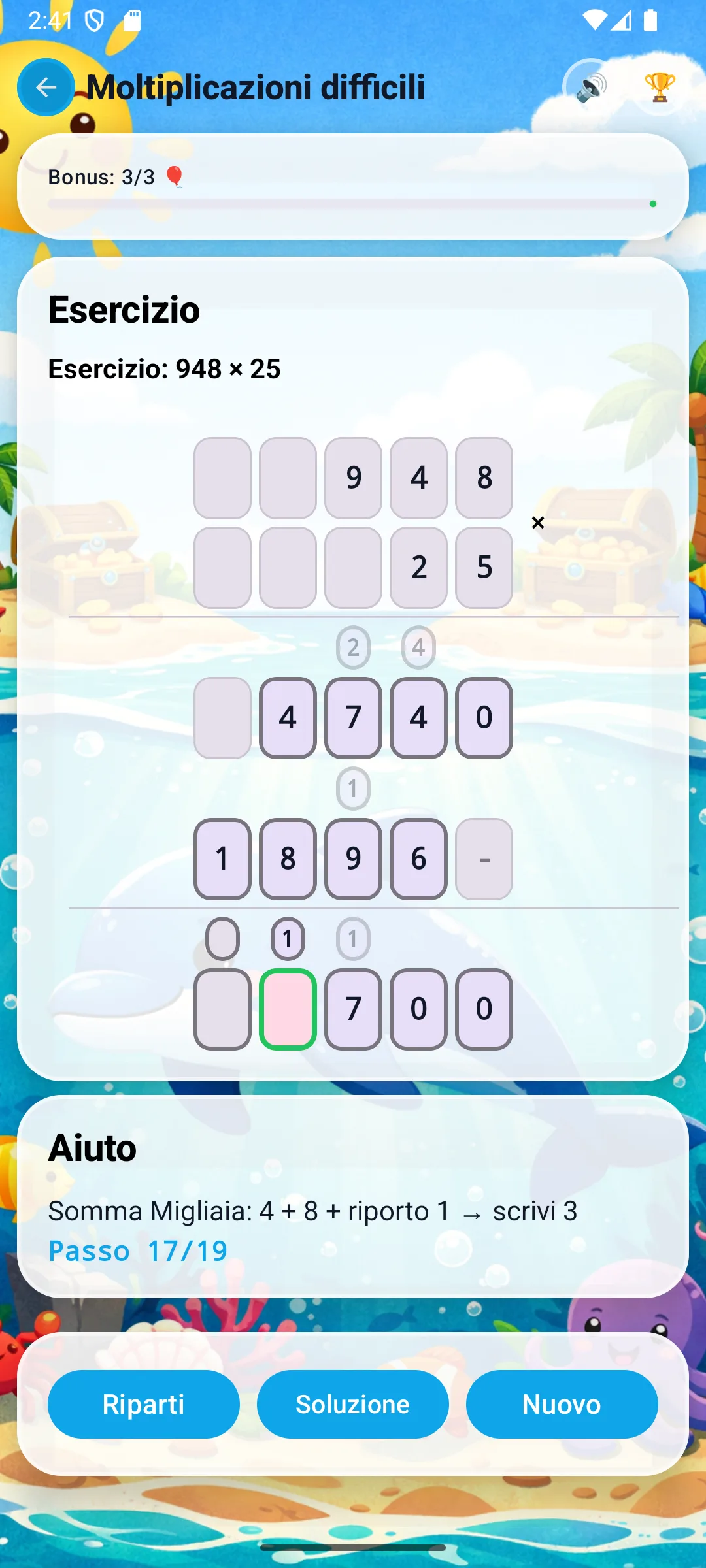
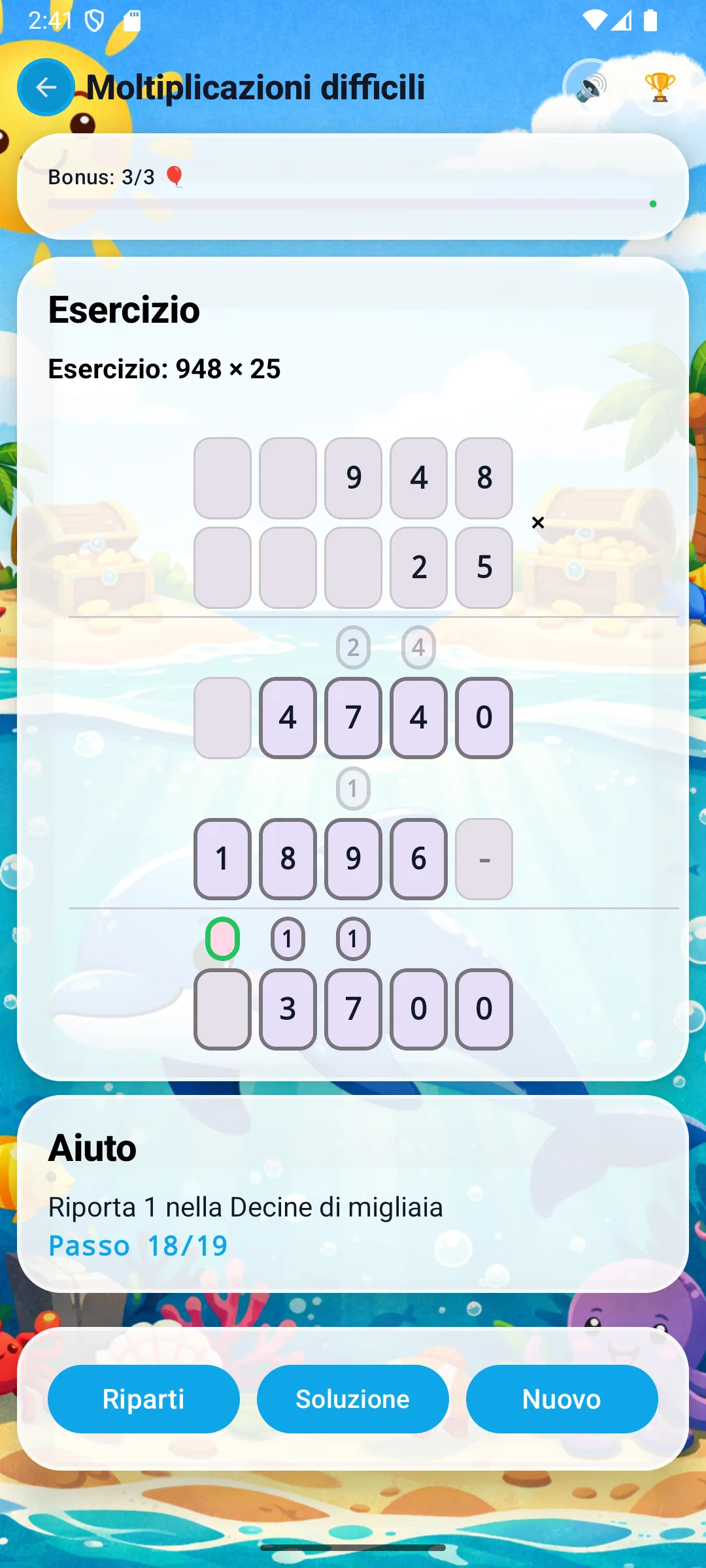
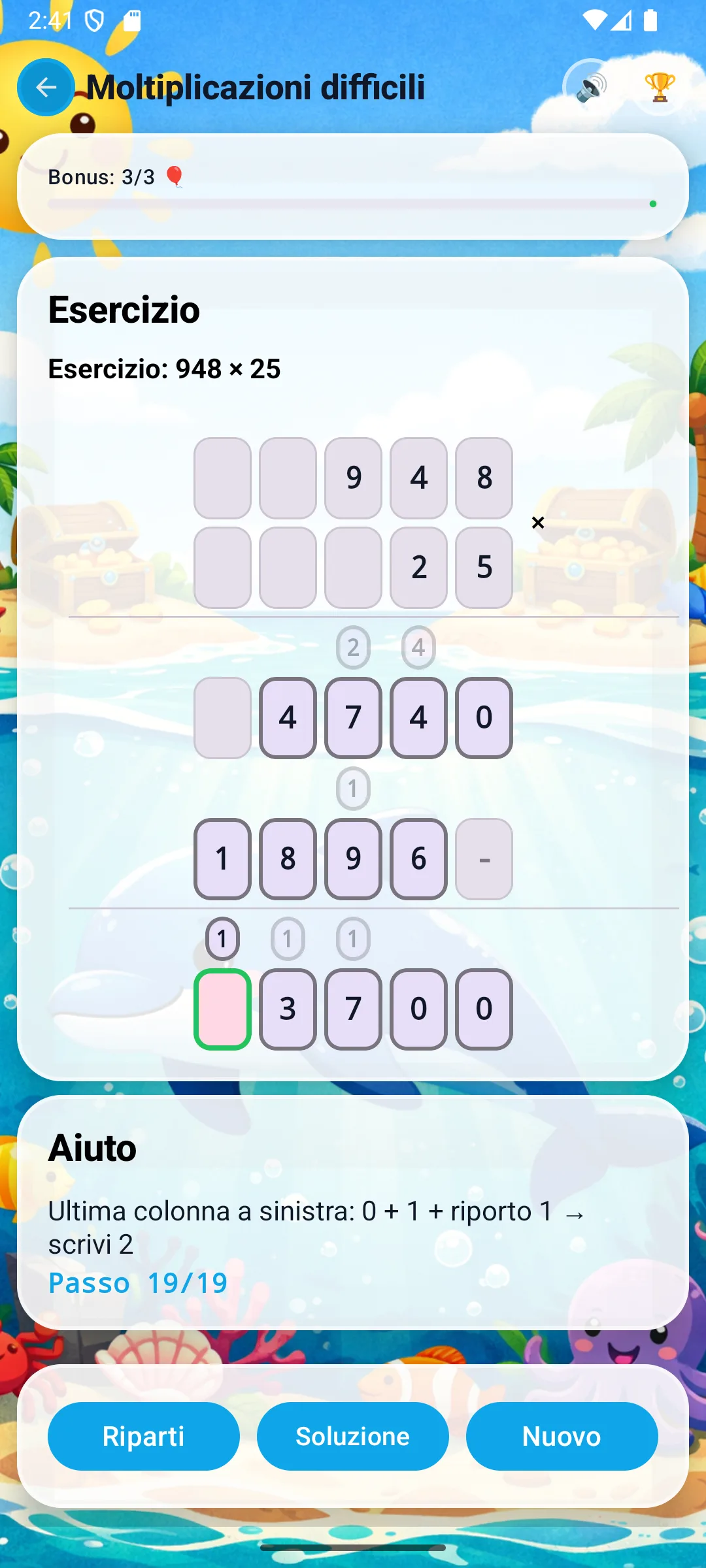
- Add the partial products: 4740 + 18960 = 23700.
You start by multiplying every digit of 948 by 5 (the ones digit of 25), from right to left. Carries are written down and added to the next step.
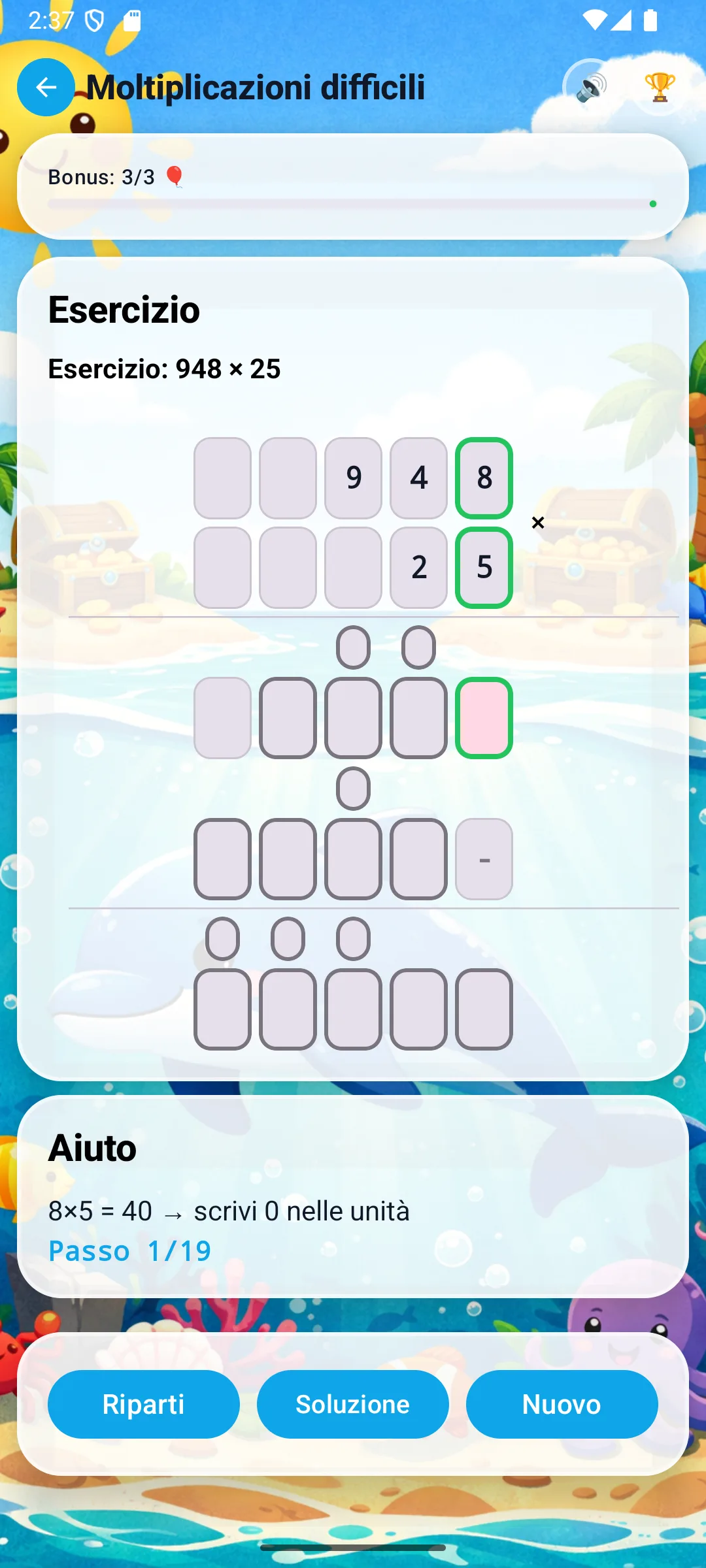
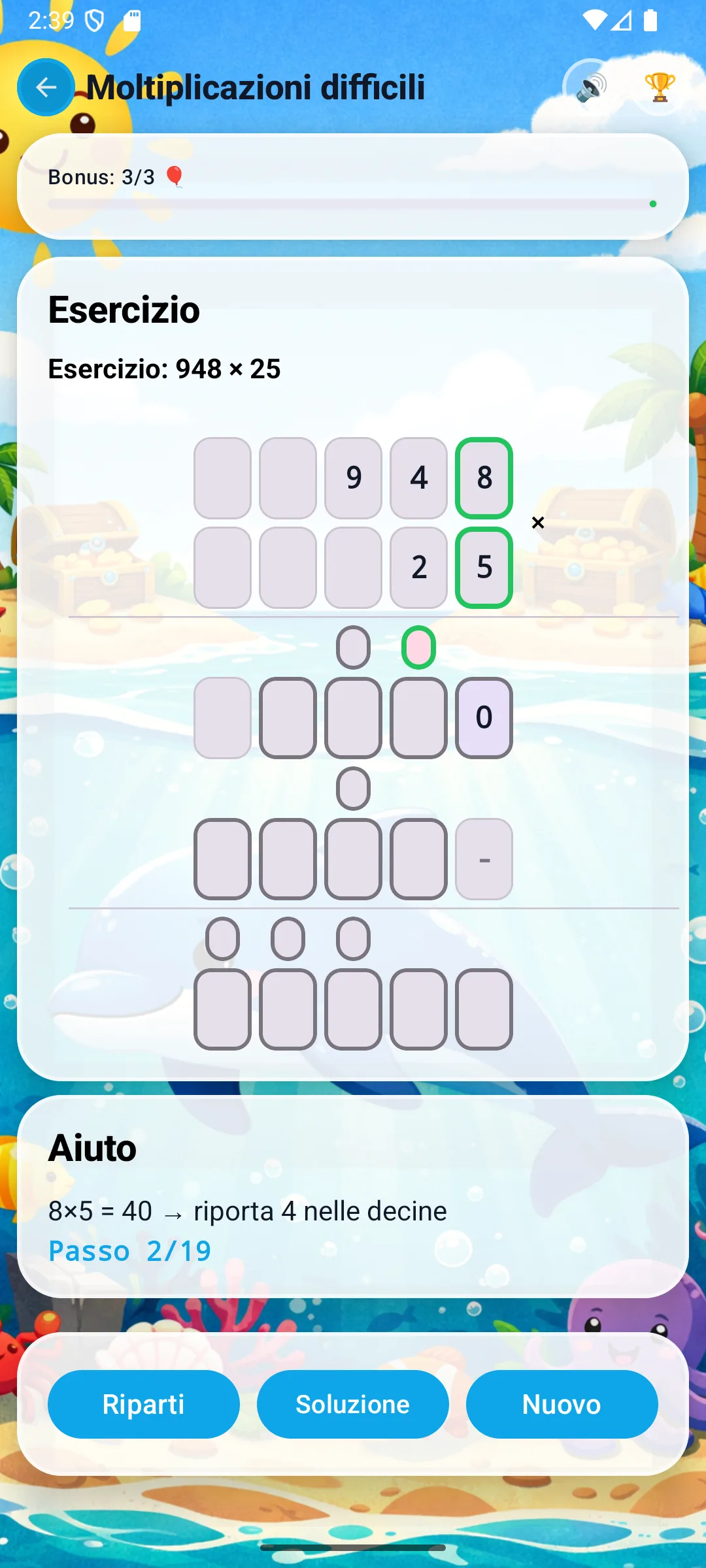
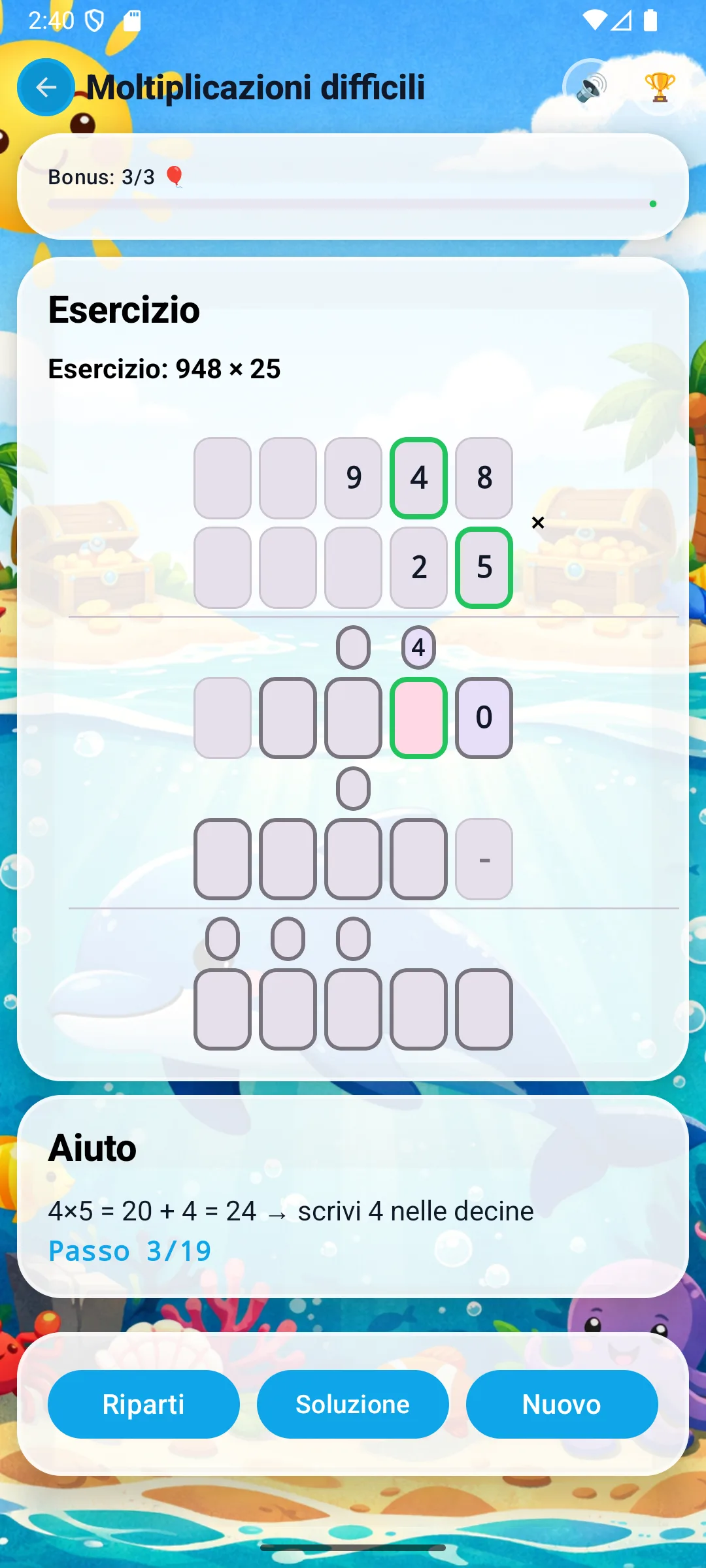
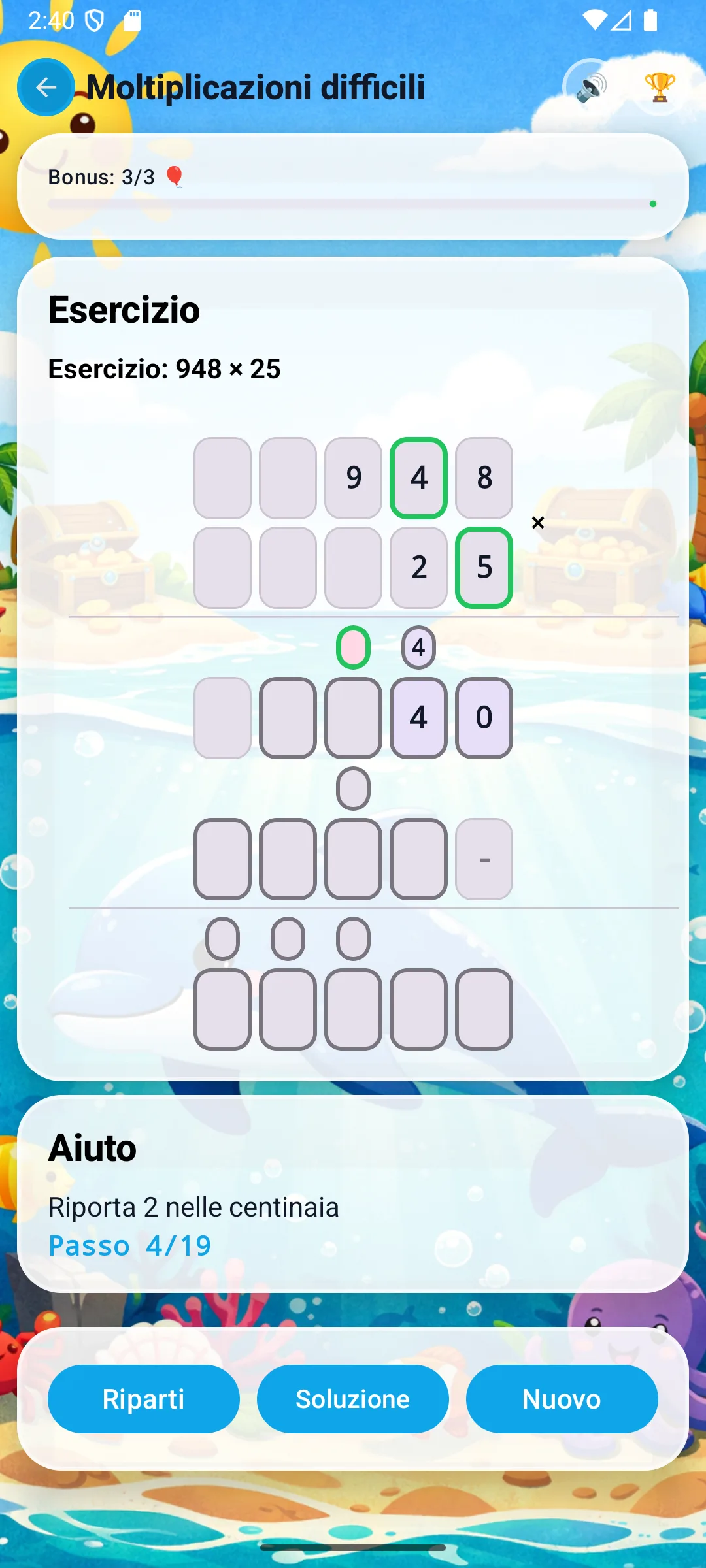
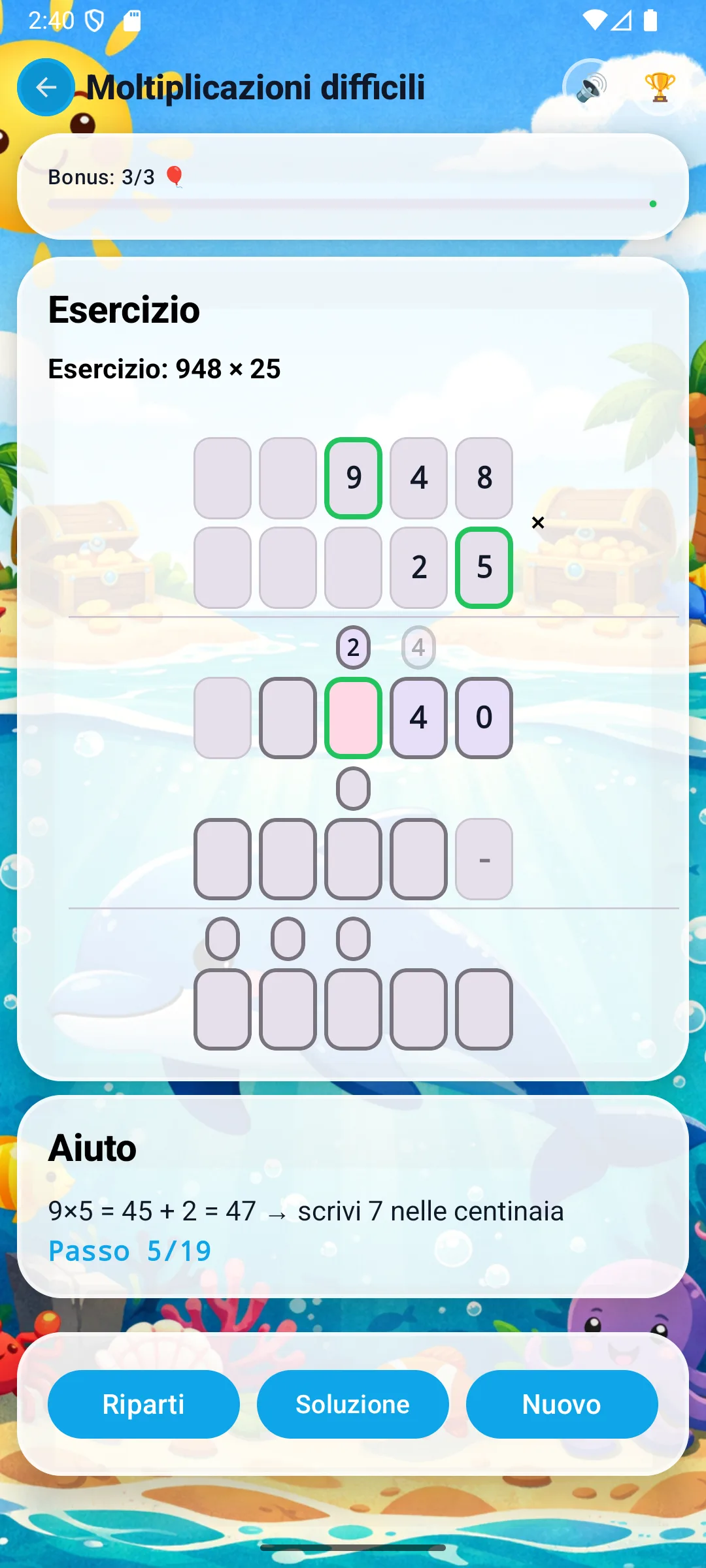
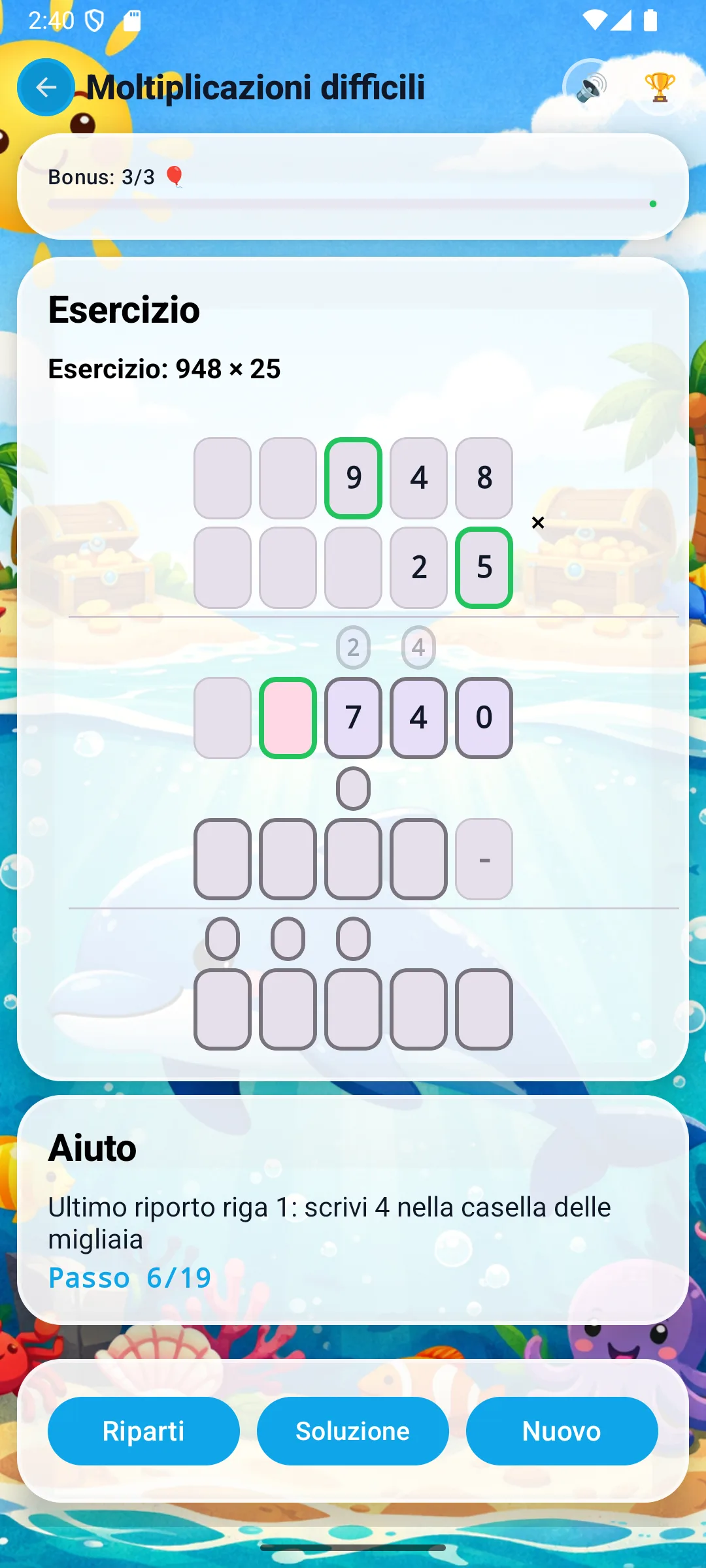
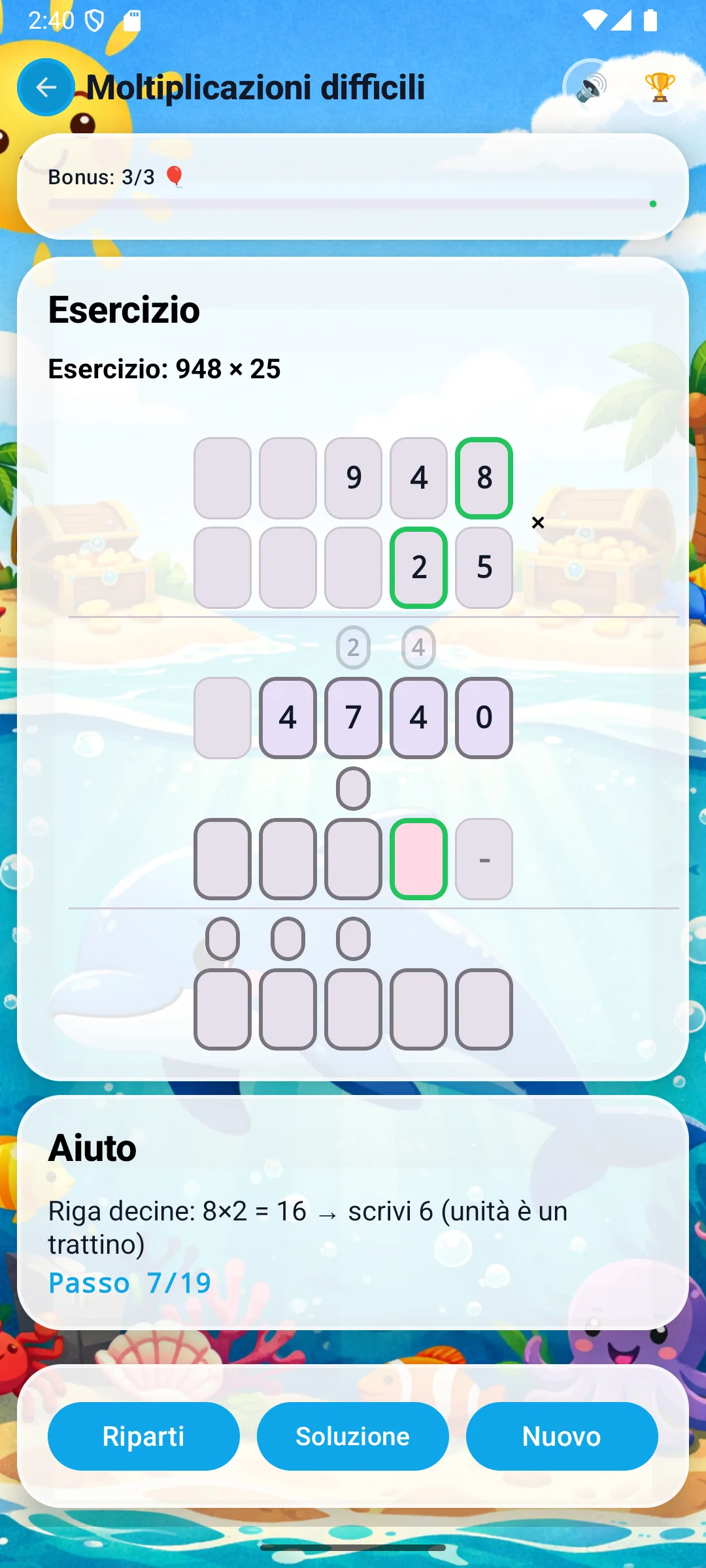
Carries in multiplication: they're not exactly the same as carries in addition. Here you add the carry IMMEDIATELY to the next digit's product. Matematt highlights it in orange so it isn't forgotten.
Now multiply every digit of 948 by 2 (the tens digit of 25). The result is written shifted one position to the left: the ones column has a dash, because you're actually multiplying by 20.
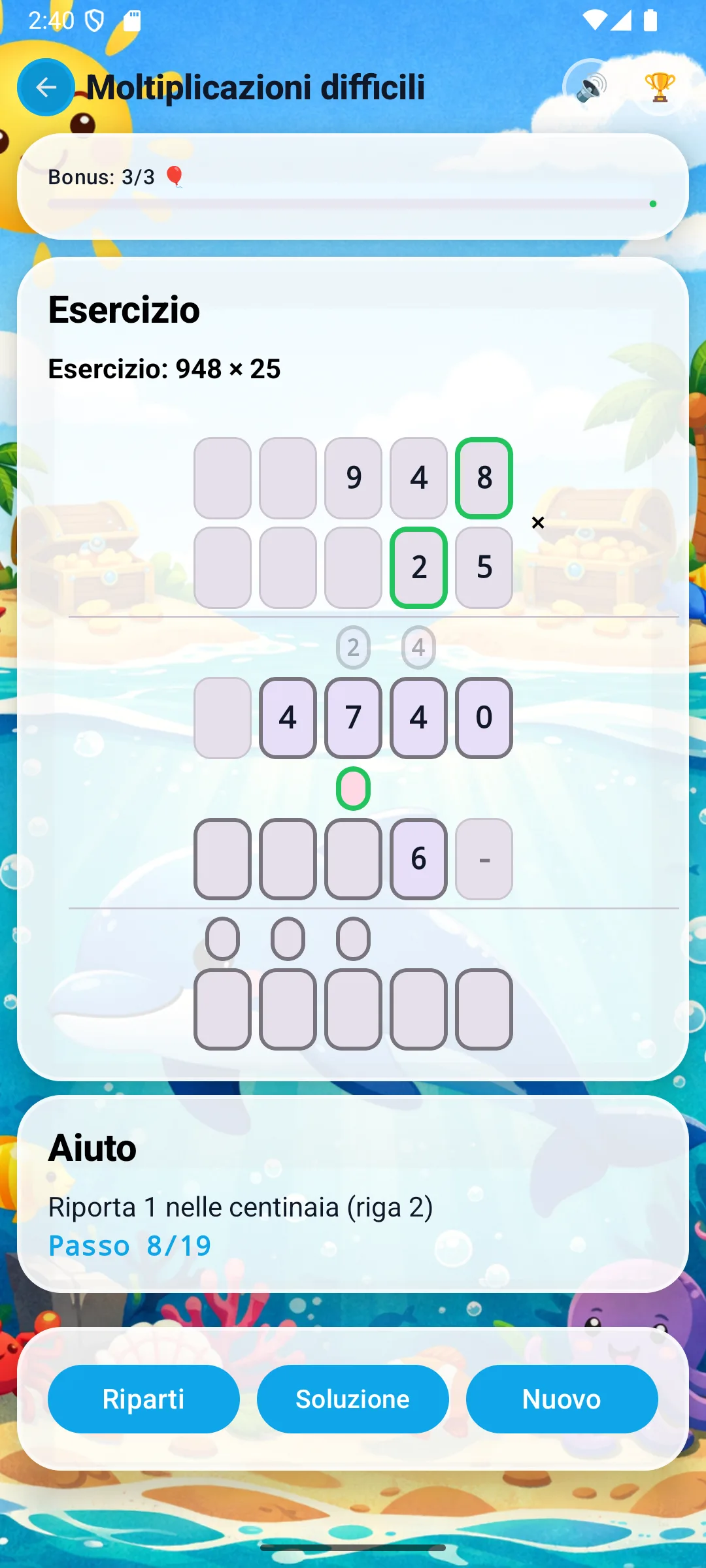
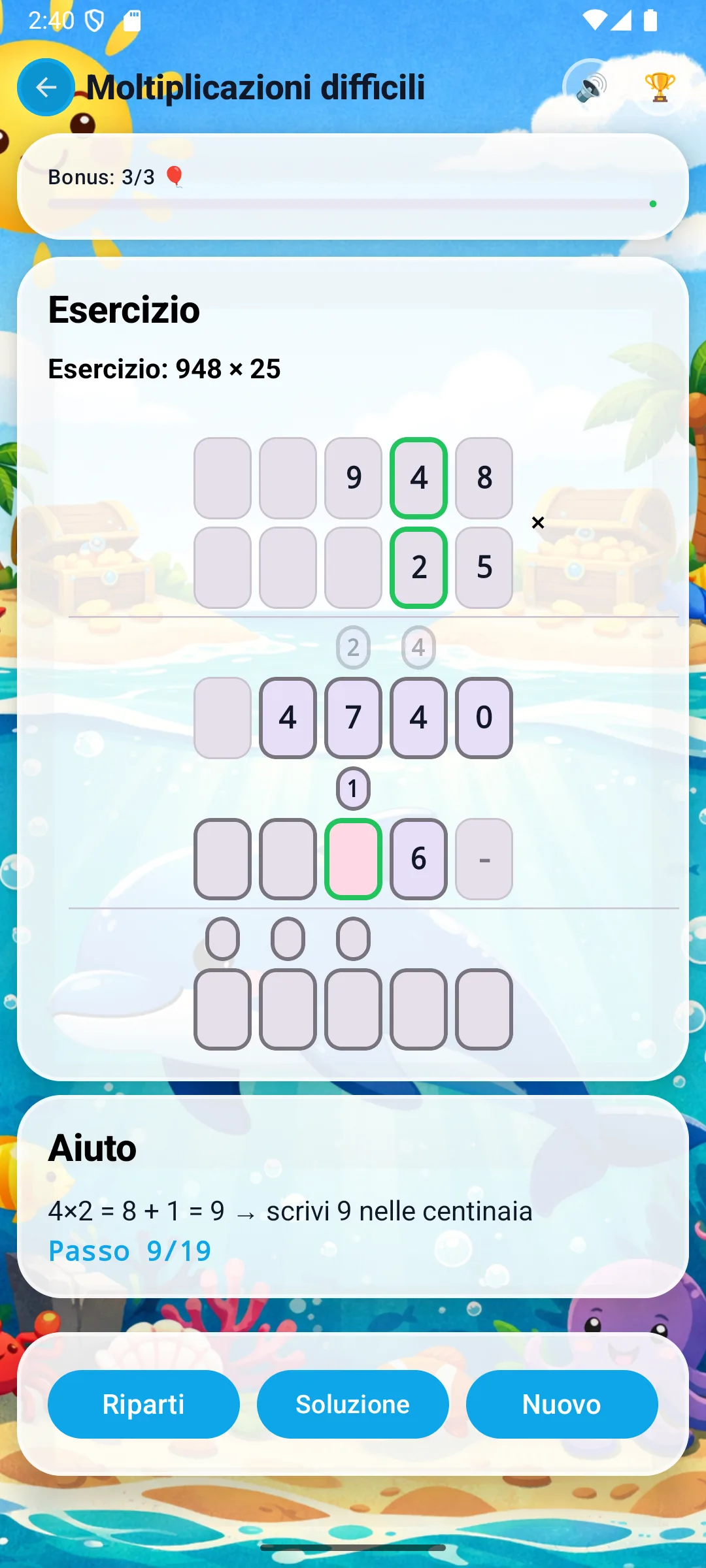
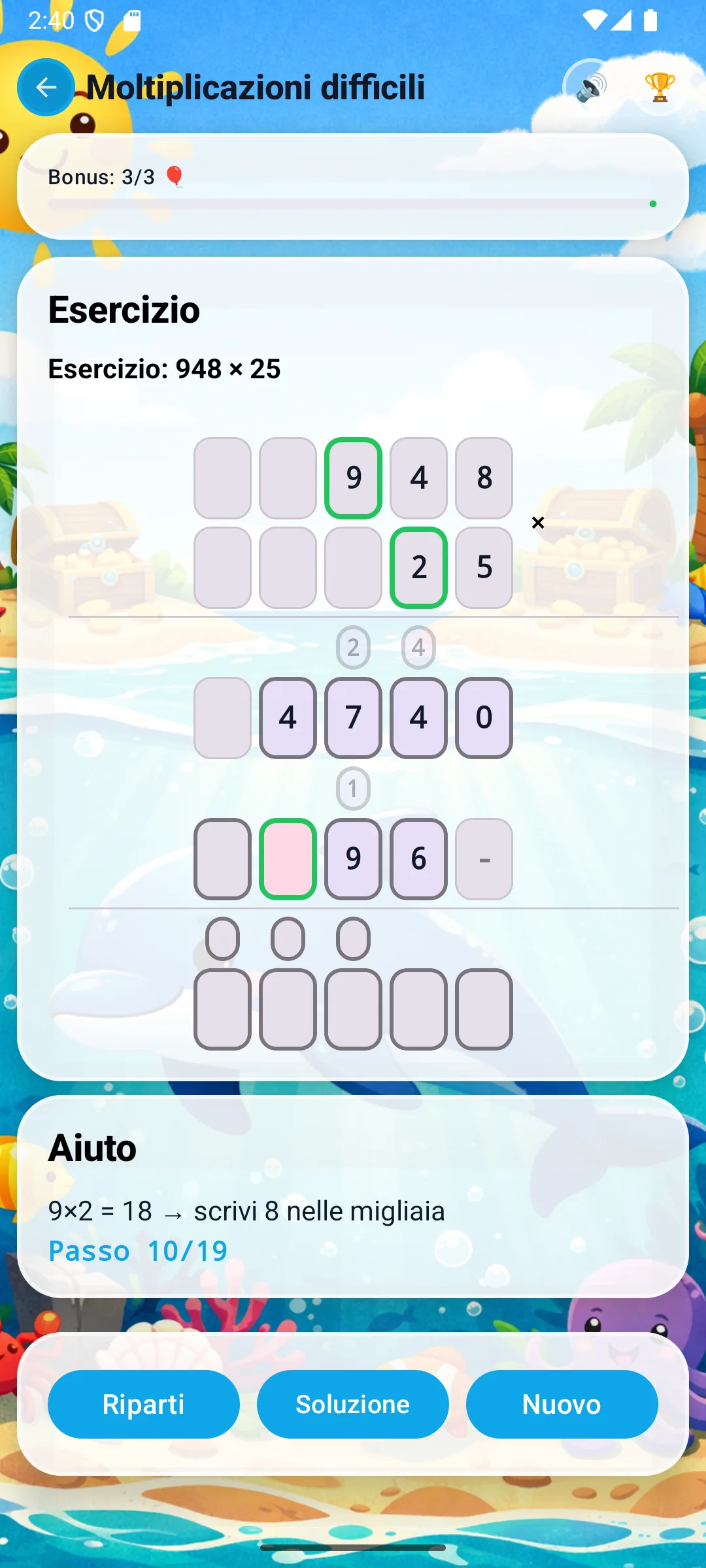
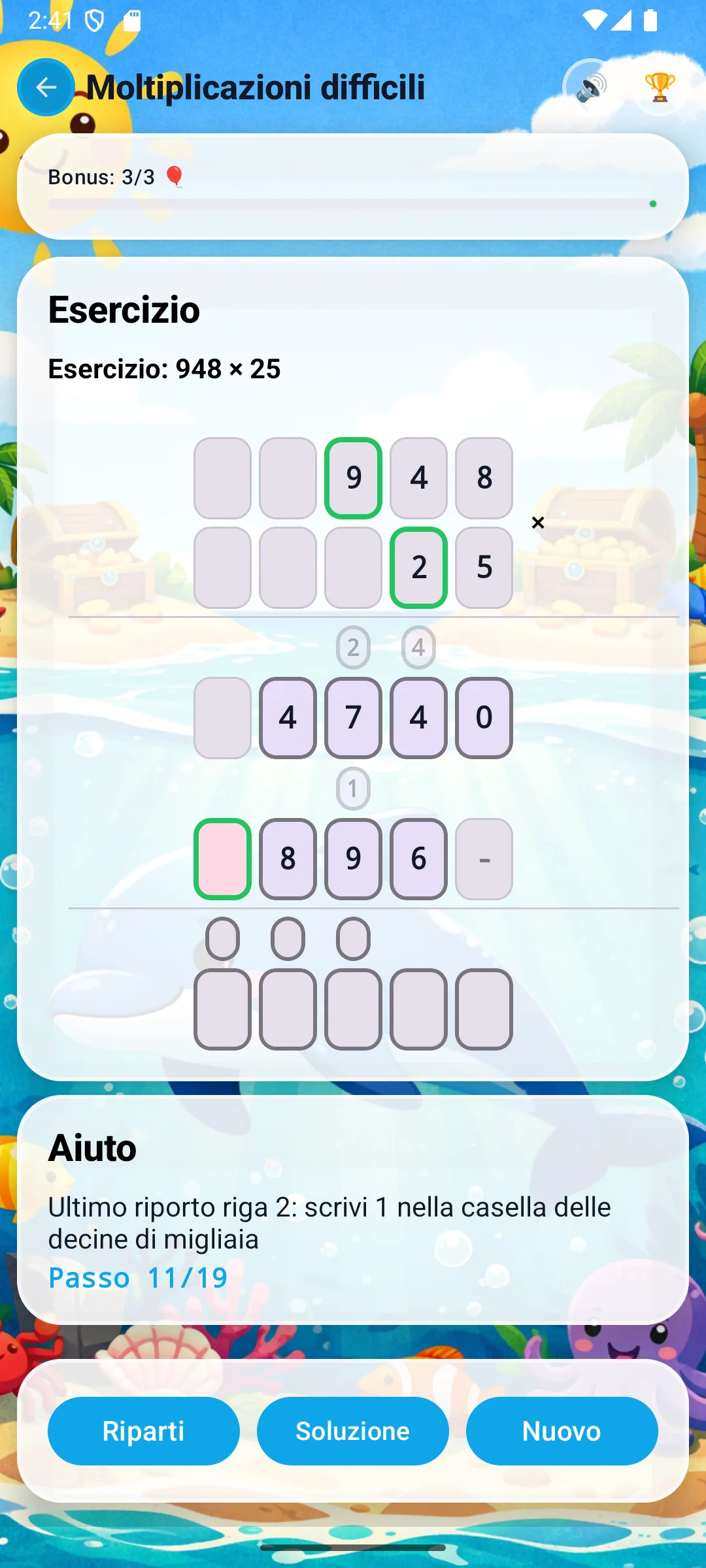
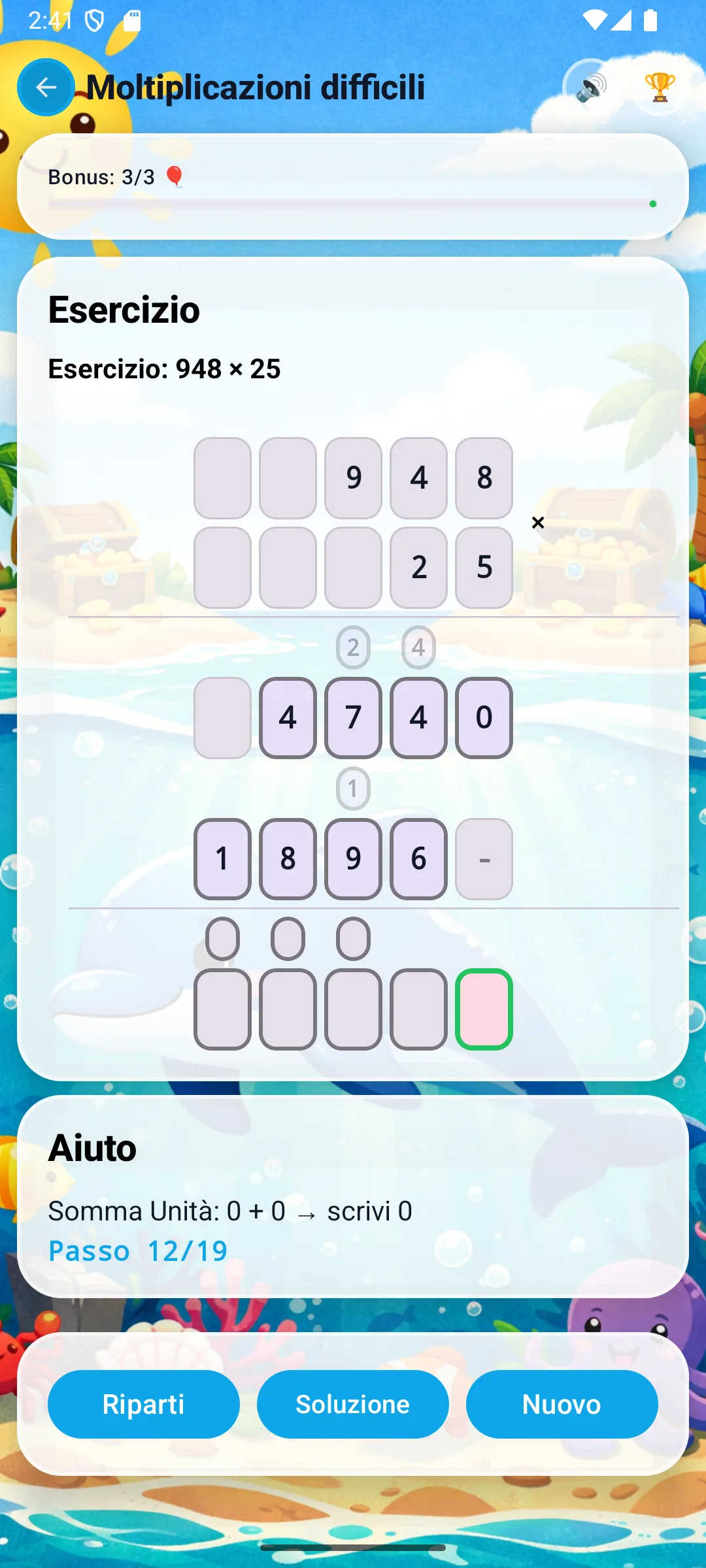
The shift: when you multiply by the tens, the result is written shifted one position to the left. This is the same as multiplying by 10. The app handles it automatically with a dash in the ones column.
Finally, add the two partial products column by column, right to left, with any carries.

Why does the tens row get shifted?
It's a consequence of place value. The tens digit of the multiplier is worth ×10, and the simplest graphic way to show that is to "shift the result one column to the left".
×5 (ones): the result stays aligned with the ones of the multiplicand.
×2 (tens = 20): the result starts from the tens column; the ones column has a dash.
×N (hundreds = N00): two dashes, because you're multiplying by N hundreds.
The most common mistakes in column multiplication
Many children know their times tables, but get column multiplication wrong because of small procedural slip-ups. Here are the four most common ones.
Forgetting the carry
The child does 8×5=40, writes 0, but then calculates 4×5=20 without adding the carry of 4.
Not shifting the second row
The tens row is written aligned with the ones row: the final addition gives an answer that's off by an order of magnitude.
Mixing carry and product
In the result 47 (=9×5+2) the child writes 47 whole, instead of writing 7 and carrying 4 to the next column.
Skipping the hard tables
The 7×8, 8×9, 6×9 products are the most error-prone. They're worth practising on their own before using them inside a long multiplication.
How Matematt helps the child overcome the problem
Column multiplication isn't a "bigger times table": it's a procedure made of times-table facts, carries and shifts. Matematt makes every single step visible, one column at a time.
One digit at a time
The app guides the child through one multiplication at a time, highlighting the pair of digits involved.
Carries highlighted
Every carry is written in orange above the next column, so it doesn't stay as an invisible mental step.
Automatic shifting
The dash on the tens row appears on its own: the child sees right away why the partial product starts one column to the left.
Mistakes as opportunities
If the child gets a times-table fact wrong, the app doesn't just mark it: it sends them back to the specific step to recalculate.
Column multiplication practice problems
Start with multiplication by a single digit, then introduce two digits, then larger numbers. Alternate exercises with and without carries.
×1 digit, no carry
23 × 3
All times-tables under 10: no carries to manage.×1 digit, with carry
48 × 7
8×7=56: a carry to the tens shows up immediately.×2 digits, basic
34 × 12
Two partial-product rows, easy final addition.×2 digits, full
948 × 25
Carries on both rows + addition with carries.Frequently asked questions about column multiplication
How do you explain column multiplication to a child?
It helps to start from place value: 25 means 2 tens and 5 ones, so multiplying by 25 means doing two separate multiplications (by 5 and by 20) and adding them together.
Why do you shift left when multiplying by the tens?
Because the tens digit is worth ten times more. Shifting the result one column to the left is the graphic way of doing ×10.
When is column multiplication introduced in primary school?
Typically in Year 3 / Grade 3 children meet multiplication by a single digit; in Year 4–5 / Grade 4–5 they meet two-digit multiplication. The UK National Curriculum and the US Common Core both place mastery of long multiplication within primary school.
Does Matematt correct immediately or let the child try?
Matematt shows right away whether the digit entered is wrong and brings up the correct step: the child doesn't keep going with an error stuck inside a larger calculation.